前言:在开发php项目的时候,有时候不知道明确的错误在哪里,想要用java或者c#那样能够开启debug断点分步调试。php本身是不支持的,需要添加xdebug插件来实现。
php开启xdebug插件:
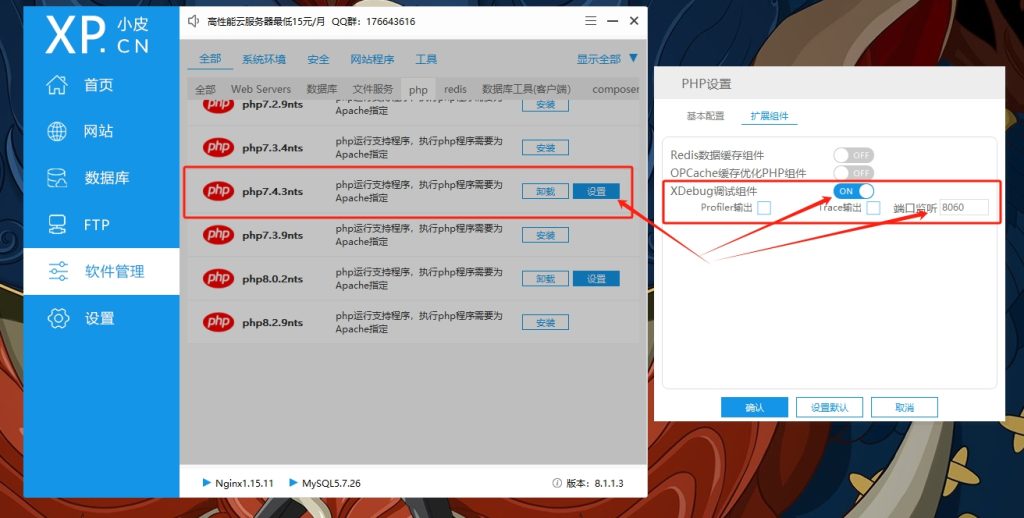
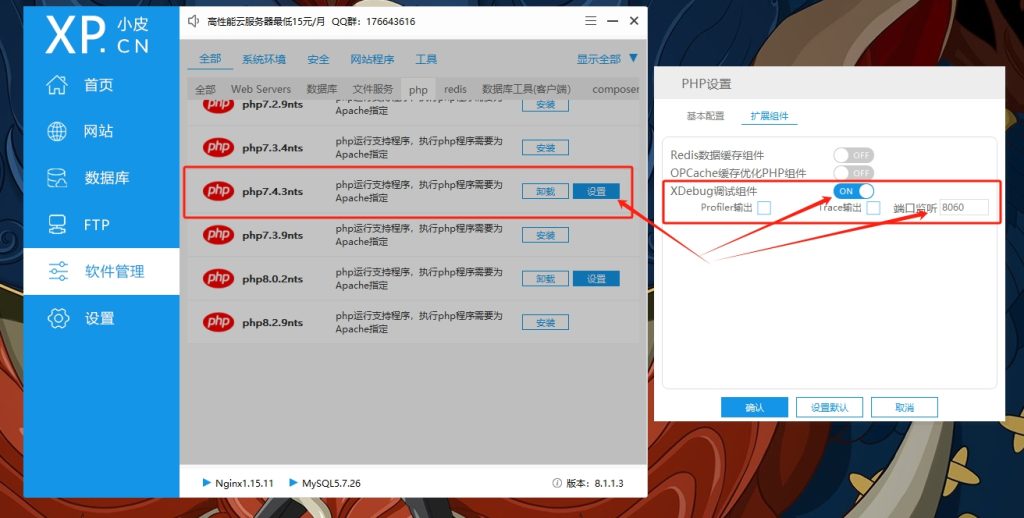
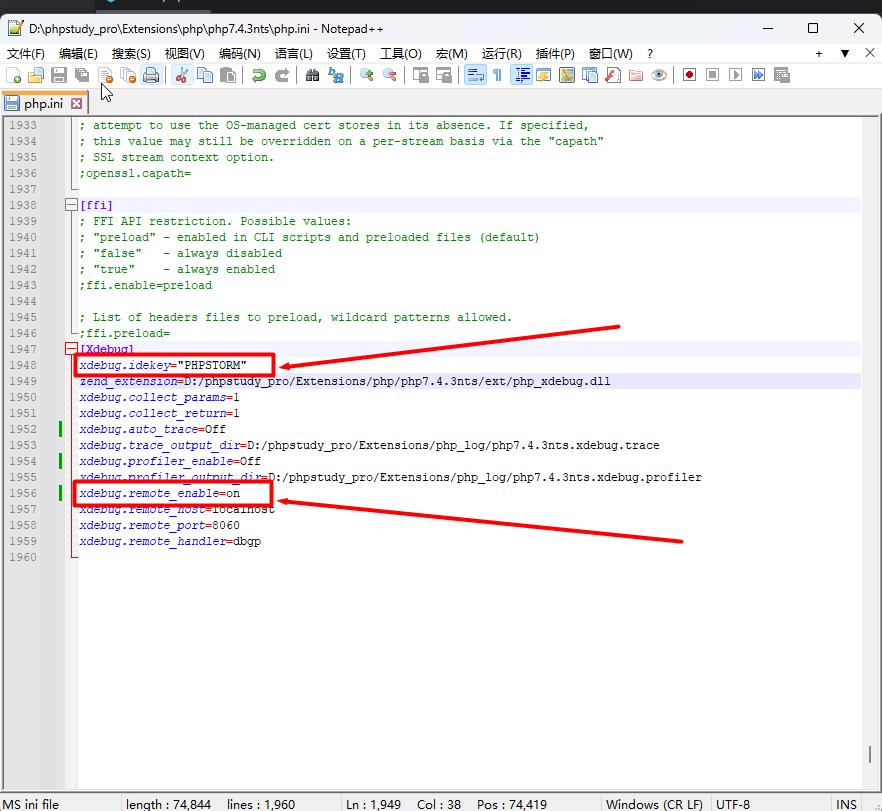
找到对应的PHP版本开启xdebug设置端口,并在php.ini添加xdebug.idekey="PHPSTORM"
PhpStorm:
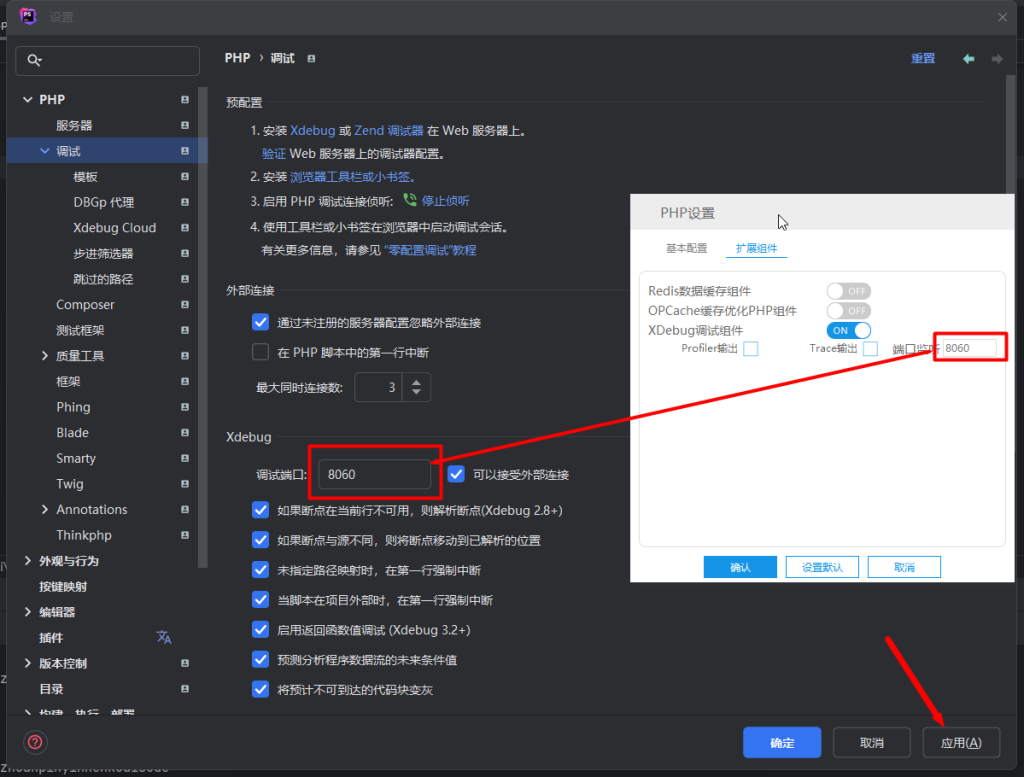
Xdebug 配置端口
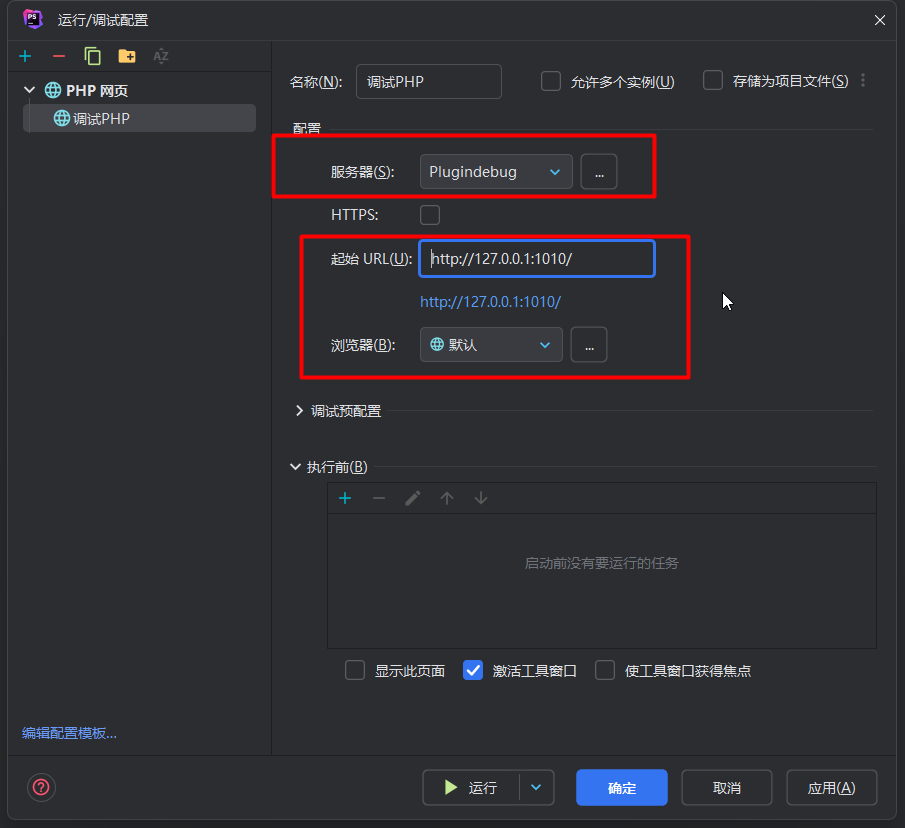
添加Php Web Page的配置
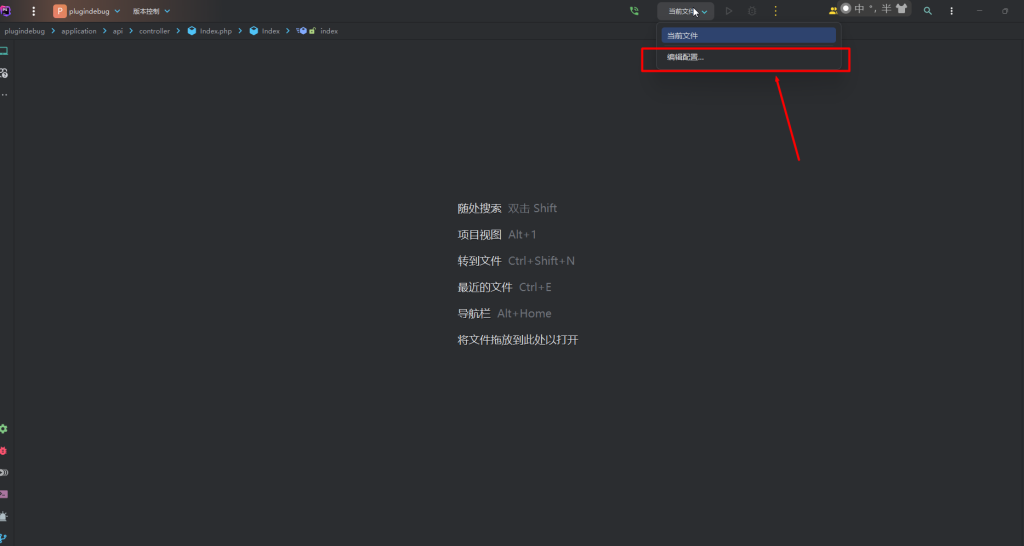
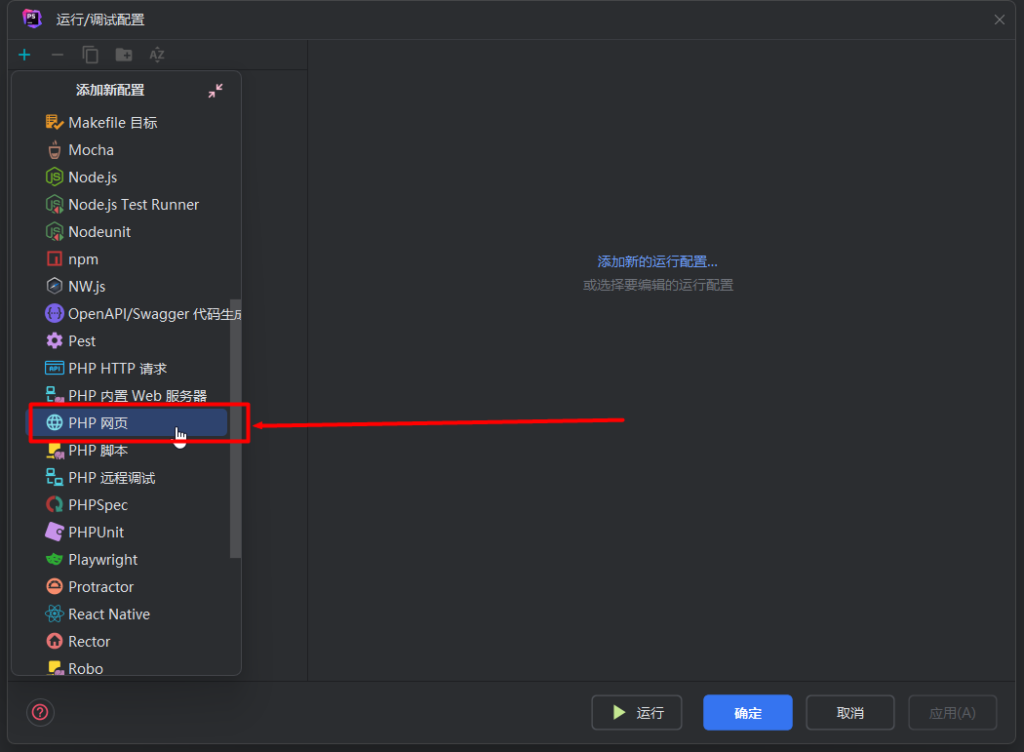
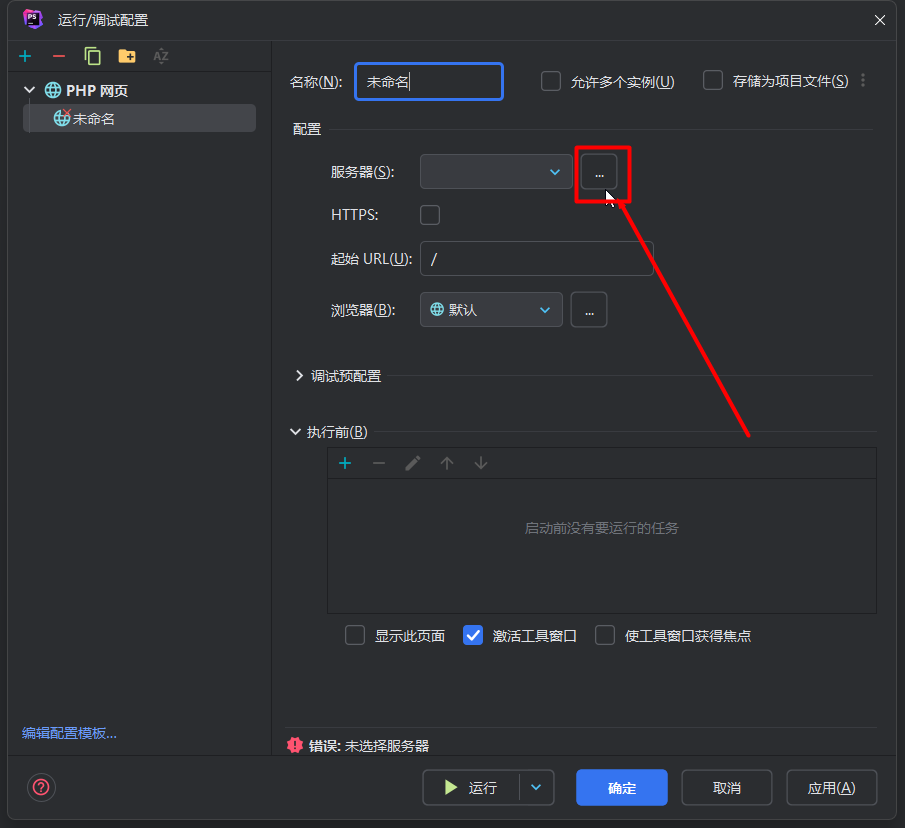
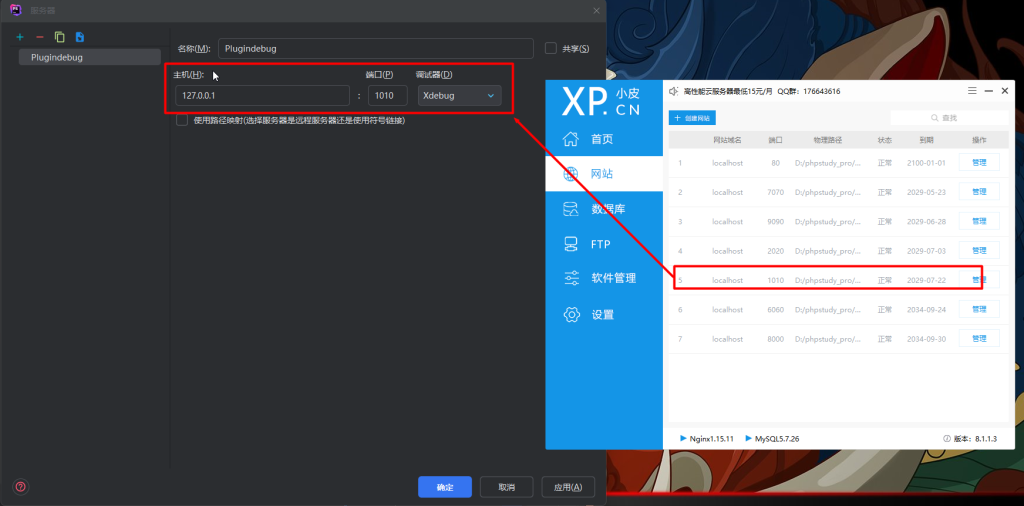
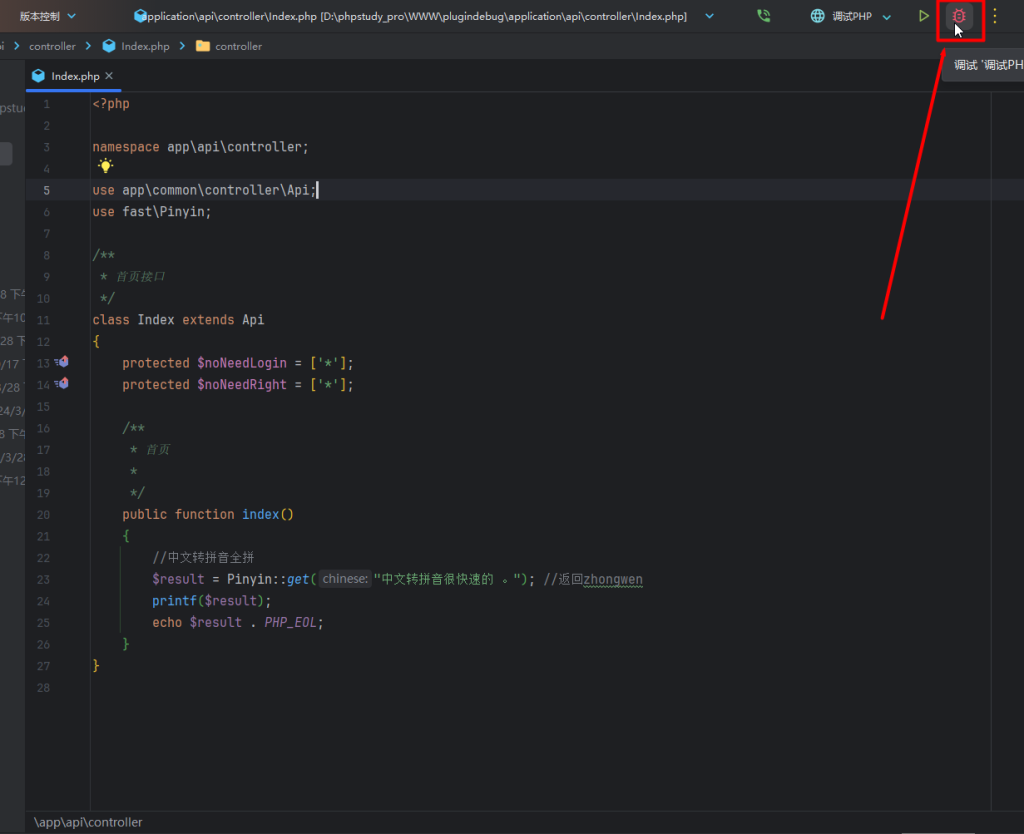
开启调试
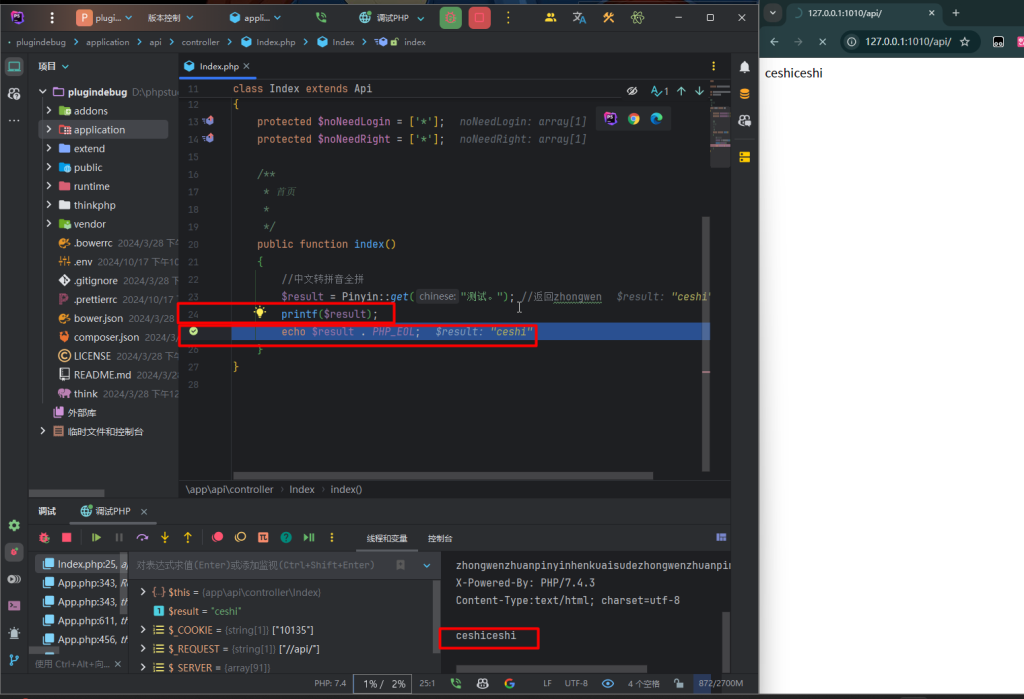
调试成功
前言:在开发php项目的时候,有时候不知道明确的错误在哪里,想要用java或者c#那样能够开启debug断点分步调试。php本身是不支持的,需要添加xdebug插件来实现。
找到对应的PHP版本开启xdebug设置端口,并在php.ini添加xdebug.idekey="PHPSTORM"

We use cookies to improve your experience on our site. By using our site, you consent to cookies.
Manage your cookie preferences below:
Essential cookies enable basic functions and are necessary for the proper function of the website.
You can find more information in our Privacy Policy and .